
This week I will continue on the PDG and take it a little bit further. I will show you some basics on how you could make a city generator with it.
Check out blog 7 for more about PDG.
You can watch this video about PDG as I it helped me for the blog.
Here is a result.


Creating Layout
Before we can generate houses we need a layout for the city. This part will be kept simple and in here there is room to make it bigger and complexer.
First creating a grid and some curve nodes. The curve nodes are representing the streets and Boolean them out of the grid.
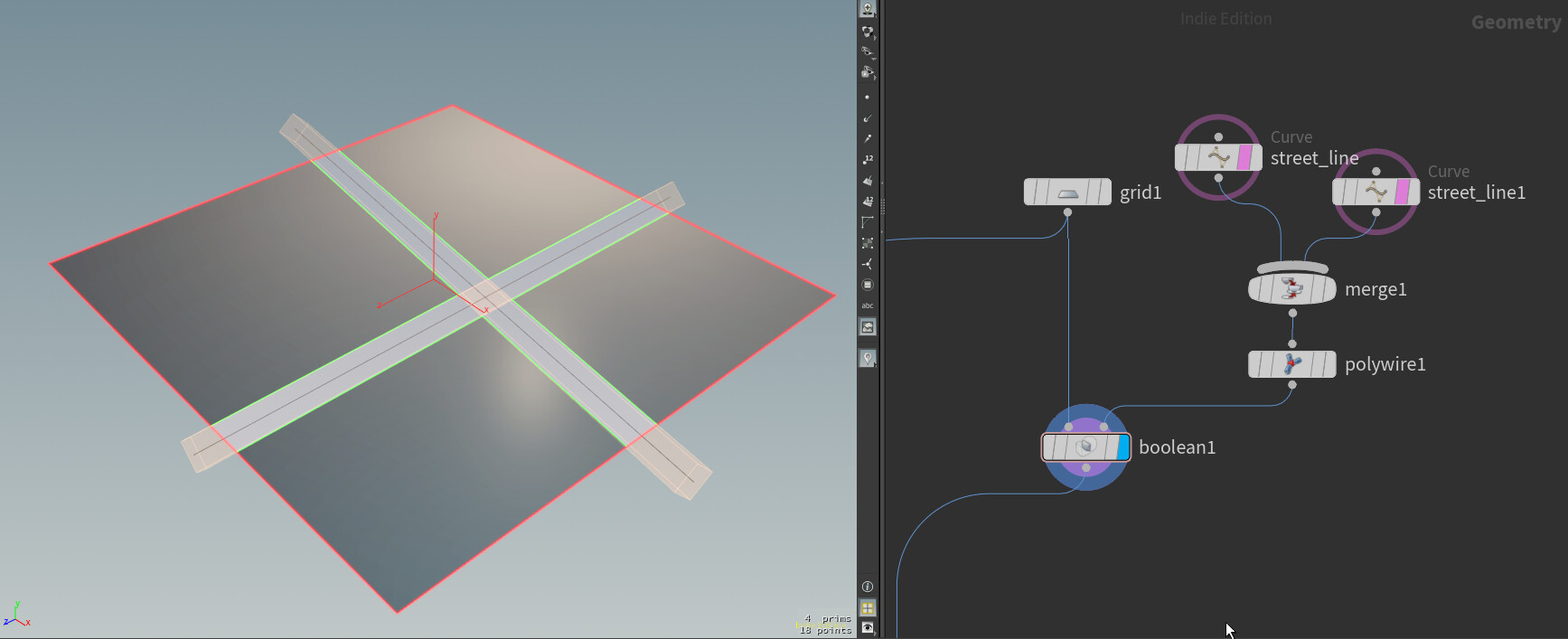
The you can split the primitives by using a subdivision node in a for each loop. There is also an extrude node where I give each primitive and inset.

By using this expression you can get randomly subdivisions. Based on the number of loop iterations it will do a subdivision. Also by adding a sort node before the loop you can randomly change primitive numbers.
detail("../foreach_begin1_metadata1" , "iteration" , 0) % 2Once you have a basic layout, you can now make a HDA or digital asset from it. Expose the seed of the sort node, so you can create random layouts.
PDG Nodes
In the TOP (PDG) you need a couple of nodes.

The order is like this:
-Wedge: here you create a random value that can be used later on, also you can ask here how many variations you want. The photo shows only one variation.
-HDAprocessor: With this you can load in your own HDA. Here you load in the layout HDA you just made. Also here I just the random wedge value and used it in the HDA Parameters tab.
-Geometry import: For this example the source geometry is set to Primitives. For primitive there will be a dot added on the node. On the picture these are 10 as my layout of the city is split into 10 primitives. (I took 10 because it was fast to calculate and my laptop can run it)
-Attribute create: Here are attributes being created and they are on each primitive different. So you can use this to make the height variation of the building. Example of a line you can use here
(rand(@pdg_index) * 100) + 40 //will create random number for each pdg variation
-ROP geometry: With this node you can double click on it and open it. Here is the logic of the houses build.
-Wait for all: This is straight forward it will wait for everything to be calculate before moving forward.
-Geometry import: In here you want to use it as a merge node and enable merge input to do this.
Last thing that I wanna say here is to view the result you have to create a file node (sop) outside of the TOP. In the file node fill in the next line to see your result of the PDG.
`@pdg_output`
House generator
Then for the house generation part, I took some parts of my house generator that I build some time ago. You can find it here.
https://www.artstation.com/artwork/oOW8NB
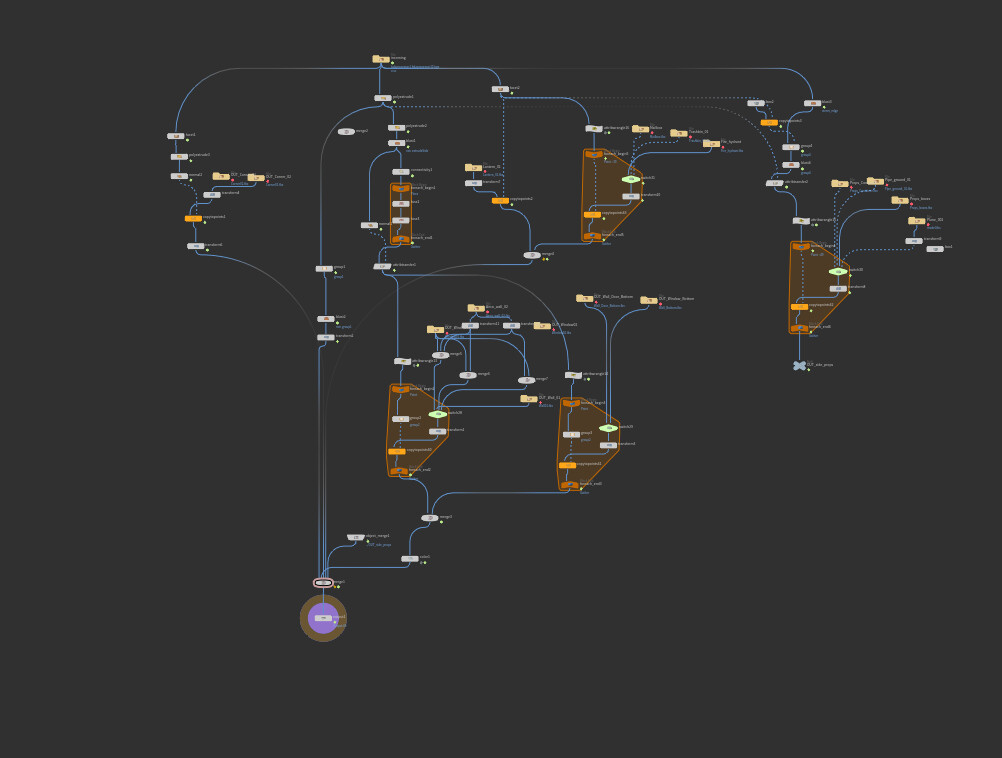
In the ROP geometry I build a simple version of a house generator and some parts of model placement doesn't make sense but it is about the idea and having a working prototype. Later there can be polishing done.
Here is the graph of the house part.
I also would like to mention that Houdini crashed a couple of times on my laptop because I wanted to generate a bigger city. As soon as I merged all the building together and want to view them, Houdini crashed. So if you don't have a good computer it might be getting difficult to make big cities.
That was it for this week. It was a busy with the fact that I will be speaking at Everything Procedural Conference but I'm happy I found the time to make this post.
Thank you for taking the time to take a look at the blog and see you next week. :)